
Someone types “hair salon near me” on their phone. Someone else searches “car repair Kalamata”, “rent a car Syros” or “dentist near me”. All four often see a map first, with three businesses, star ratings, opening hours and a “Call” button. Many never reach a website. They call, ask for directions, or move on to the next one.
What they are looking at is the Google Business Profile of those businesses. For a local business, it is often the first and sometimes the only contact a customer has with it.
In this guide you will see:
- how Google decides which businesses to show in local results,
- what to fill in on the profile and why each part matters,
- how to handle reviews without getting into trouble with Google’s policies,
- why your website plays a bigger role than it seems,
- which mistakes we see again and again.
What is a Google Business Profile?
Google Business Profile is Google’s free business listing. Until 2021 it was called Google My Business, so if you still hear that name, it is the same tool.
The profile appears in two main places:
- Google Search — either in the local pack (the block with the map and three businesses), or as a panel on the right, or at the top on mobile, when someone searches for your name.
- Google Maps — when someone searches for a category or a specific business on the map.
Depending on the type of business, it can show name, address, phone, hours, website, photos, reviews, services, products, attributes such as “wheelchair accessible”, and updates.
For businesses that serve a specific area, the value is obvious. A dentist in one Athens suburb does not need to appear to someone in Thessaloniki. They need to appear to people nearby who are searching right now.
How does a Google Business Profile affect local SEO?
Google openly says that local results are based mainly on three factors.
- Relevance — how well the business matches what the user is looking for. Category, services, description and your website content all count here.
- Distance — how close the business is to the user, or to the location named in the search. If someone in Athens types “car repair Kalamata”, the city in the query is what counts. If they type “car repair near me”, what counts is where their phone is.
- Prominence — how well known and trustworthy the business appears, online and offline. Reviews, mentions on other sites, backlinks, general brand presence.
Two things are worth keeping from this.
First, nobody “optimises” distance. If your shop is at one end of town, no SEO will move it to the other. Anyone who promises otherwise either does not understand local search or hopes that you don’t.
Second, there is no way to pay Google for a better organic position in the local pack. You can run ads labelled “Sponsored”, but that is a different matter. Organic order cannot be bought.
How to optimise your Google Business Profile properly
First of all, make sure the profile is verified and that you are the one in control. We have seen a business whose profile was managed by a former employee, on a personal email. Not an ideal scenario.
Use the right business name
The name on the profile should be the business’s real name: what the sign, the receipts and the logo say.
Bad practice:
MV Hair Salon Hairdresser Kifisia Best Balayage
When the real name is:
MV Hair Salon & Spa
Adding keywords to the name purely for rankings breaks Google’s guidelines. Yes, sometimes you see competitors doing it and seemingly winning. That does not make it safe. Such profiles can be edited by other users or suspended, and reinstating a suspended profile is not something you want to go through in high season.
Choose the right primary category
The primary category is one of the most important choices on the profile. It largely determines which searches you are considered relevant for.
Some examples:
- Hair salon
- Car rental agency
- Auto repair shop
- Dentist
- Restaurant, or a more specific category such as seafood restaurant, if it exists and describes you
The rule is simple: the category describes what the business is, not everything it does. A hair salon that also does manicures is still a hair salon.
In practice, changing the primary category can noticeably change the kind of searches you appear for. That is why it is worth checking which category the competitors ranking well for your target searches use. Not to copy them blindly, but to understand how Google “reads” your industry.
Use secondary categories properly
Secondary categories make sense when they represent real, core activities: a garage that also does bodywork, a hotel with a restaurant open to the public.
What does not help is adding ten categories “to catch more”. Irrelevant categories blur what you are. And if a user finds you for something you do not do, the likely result is a wasted phone call, not a new customer.
Fill in your business details completely
The basics:
- address,
- phone,
- website,
- regular and special hours,
- attributes (e.g. accessibility, card payments, Wi-Fi),
- services,
- products, where the feature is available and makes sense for the business.
Missing details mean less information for Google to understand what you do. Wrong details are worse. An old mobile number on the profile does not show up in any report, but it costs you every time someone calls and nobody answers.
Address or service area?
There are two types of business here:
- Physical location that receives customers — hair salon, dental practice, restaurant, shop. You show the address.
- Service-area businesses — plumber, electrician, cleaning crew that goes to the customer. You can hide the address and define service areas.
Some businesses do both, e.g. a car rental with an office that also delivers to the airport or port.
What should not happen: fake addresses or virtual offices just to appear in more cities. It breaks the guidelines and is one of the most common reasons for profile suspension.
Write a proper business description
The business description does not affect rankings as much as many think. It does affect the person reading it. A good description says what the business does, who it serves, its main services, the area where relevant, and what sets you apart.
A natural example for a garage:
Family-run garage in Kalamata since 1998. We do servicing, fault diagnosis, electrical work and brake repairs on all car makes. We give a written cost estimate before we start and check with you before any extra work.
No repeating the city five times. No “the best”. Just information a driver would want to know.
Add your services properly
Services help Google understand exactly what you do beyond the category. They also help users see quickly whether you cover their need.
- For a hair salon — haircuts, balayage, hair colouring, styling.
- For a garage — servicing, fault diagnosis, electrical work, oil change.
Services should be real and distinct. “Hair colouring”, “hair dyeing” and “hair colour” are one service, not three.
Keep your opening hours accurate
Set your regular hours, special hours for holidays (Easter, 15 August, Christmas) and seasonal operation if you close in winter or change hours in summer.
Imagine someone driving twenty minutes because Google Maps said “Open”, only to find the shutters down. They will not come back, and they will probably leave a review. A negative review over wrong hours is one of the easiest things to avoid in local SEO.
Photos and videos on your Google Business Profile
Photos answer questions before the customer asks them. What is the space like? Where do I park? What does the entrance look like from the street?
Useful photos: the exterior so the building is recognisable, the interior, the team, products, services in progress, real photos of your work, and before/after where allowed and relevant (e.g. hair salon, body shop).
Real photos are far better than stock. Users immediately understand that the smiling model with perfect teeth is not a patient of your dental practice.
There is no magic number of photos that leads to better rankings. What makes sense is uploading new, real photos regularly that show what the business looks like today, not before the 2017 renovation.
Google reviews: how important are they?
Google reviews influence more than one thing: trust, whether someone clicks or calls, the final choice between two or three options, and prominence, and therefore local visibility.
Quantity matters, but so does quality: how recent the reviews are, what they say, whether they describe specific services. There is no “ideal” number. Fifty reviews may be a lot in a village and few in a competitive city centre.
One point that is often overlooked: lots of reviews alone do not guarantee first place. We often see businesses with fewer reviews ranking higher because they are closer or more relevant. But the value of reviews does not stop at ranking. Even if they do not move you up a position, they may be the reason someone chooses you over the business next door.
How to ask for reviews properly
- Right after the service — when the customer is satisfied and remembers the experience.
- With a direct review link — that opens the review form straight away.
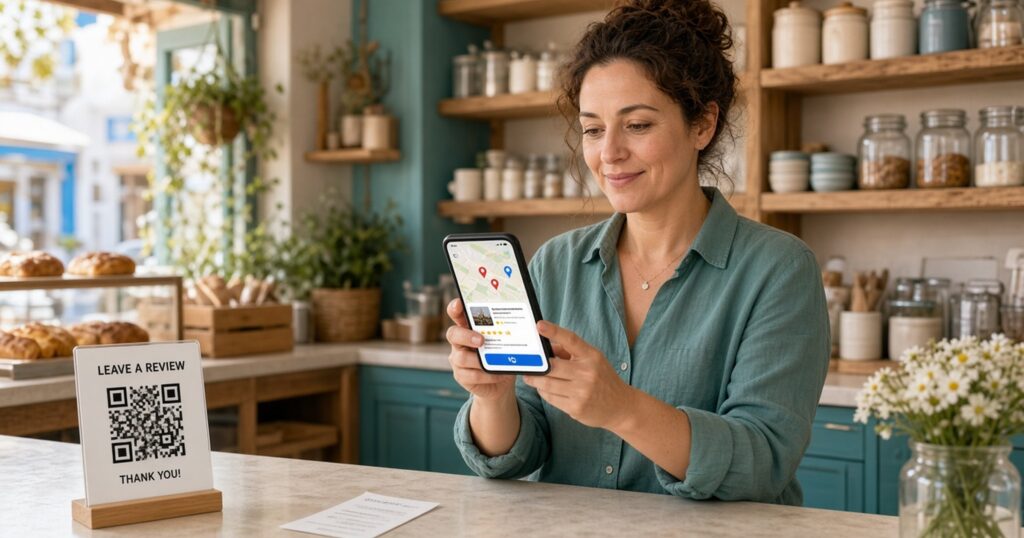
- With a QR code — at the till or on the receipt.
- By email or SMS — to real customers.
What we do not do: buy fake reviews, offer discounts or gifts in exchange for a review, or use review gating, meaning asking “are you satisfied?” first and sending only the yes answers to Google. It breaks Google’s policies, however clever it seems.
Should you reply to reviews?
Yes. To positive and negative ones alike. Replies are not only for the person who wrote the review; they are for everyone who reads it later. They show that the business exists, cares and listens.
What does not help: copy-paste replies like “Thanks for the review! MV Hair Salon Kifisia awaits you for balayage!”. It sounds like a robot because it is. A short, human reply that mentions something specific from the review is worth much more.
What to do with a negative review
- Stay professional — wait a few hours if needed before replying.
- Do not reply aggressively — even if the customer is wrong, future readers judge your reaction.
- Check whether it is a real customer — look through appointment or order history.
- Take the solution offline — when needed: “We would like to discuss this. You can call us on…”.
- Report only real policy violations — e.g. spam, offensive content, a fake review from a competitor. “I don’t like what it says” is not a violation.
Google Posts: are they worth publishing?
Google Posts are short updates shown on the profile: news, new services, events, offers where allowed, and important updates such as changed hours or a temporary closure.
There is no evidence that frequent posting is a direct ranking factor on its own. Posts do show that the business is active and give users one more reason to choose you. A car rental posting “Automatics available for August, delivery at Syros port” says something useful. A “Good morning from our team!” post every Monday, probably not.
Connecting your Google Business Profile and website
This is where the biggest local SEO mistake happens: treating the profile as if it stands alone. It does not.
Google cross-checks. If the profile says “dentist offering implants” and the website is a single page with a logo, a phone number and a “Welcome”, there is nothing to confirm what you claim.
The website should clearly say who the business is, what services it offers, where it is and which areas it serves. In practice, that means:
- Proper service pages — one page per core service, with real content.
- Local landing pages where there is a real need — a car rental with offices on three islands needs three pages; a salon with one shop does not need twenty.
- Contact page — with full details, map and hours.
- NAP consistency — between site and profile.
- Schema markup — for the business details.
- Internal linking — connecting services, areas and the contact page.
- Titles and headings — mentioning service and area where it fits.
- Local content — showing a real connection to the area.
A warning: dozens of near-identical location pages where only the city name changes do not help. They usually just load the site with thin content. If you need pages written for people, see how we approach content writing.
A strong Google Business Profile rarely makes up for a very weak website. If the site has technical issues, is slow or is not indexed properly, a technical SEO check is often a better starting point than one more photo on the profile.
What is NAP and how important is it?
NAP stands for Name, Address, Phone. These core details should be consistent on your Google Business Profile, website, social profiles and key business directories.
If one place has an old address and another a new one, or two different phone numbers, it creates confusion, for Google and above all for the customer who ends up at your old shop.
But do not overdo it. “Ave.” instead of “Avenue” or a space in the phone number will not sink your business. Focus on real inconsistencies: old addresses, dead numbers, different names.
Local citations and business mentions
Local citations are mentions of your business on other sites, usually with name, address and phone: business directories, industry platforms, local websites, news sites, chambers and associations where relevant.
Quality matters far more than quantity. A mention on a local news site or in your professional association’s directory is worth more than listings in a hundred random directories nobody visits. If someone offers you “listing in 300 directories”, ask which ones. The answer is usually instructive.
Google Business Profile and schema markup
LocalBusiness structured data is code on your website that describes your business details in a format search engines read easily: name, address, phone, hours, business type. There are more specific types too, such as Dentist, AutoRepair or HairSalon.
Schema helps Google understand more clearly who you are and where you are. It is not a shortcut to higher rankings; it removes doubt rather than acting as a “rank me up” button. The same clean details also help AI tools recognise you correctly, which we cover in our article on how a local business appears in AI answers.
The biggest Google Business Profile mistakes
- keyword stuffing in the business name,
- wrong primary category,
- irrelevant secondary categories,
- wrong or outdated hours, especially on holidays,
- an old phone number,
- a wrong website URL or a link to a page that no longer exists,
- duplicate profiles for the same business,
- fake addresses or virtual offices without real presence,
- fake reviews,
- abandoning the profile for months or years,
- different details on the profile and the website.
Most of these need no budget to fix. They need half an hour and someone to do it.
Why doesn’t a business rank higher on Google Maps?
There is rarely just one reason. Usually it is a mix of stronger competitors, low relevance to the search, the wrong category, lower prominence, distance from the user, a weak website, few or low-quality local signals, and an incomplete profile.
Of these, you do not control distance. If someone searches “hair salon near me” and there are three salons within 200 metres while you are 2 kilometres away, it is an uphill battle whatever you do. The rest, however, can be worked on.
Can I rank first on Google Maps?
Nobody can guarantee you first place, and “first place” on Maps is not even a fixed thing. Local results change with the exact search, the user’s location, the competition, and relevance, distance and prominence.
Two users in different neighbourhoods of the same town may see a completely different order for the same “car repair near me”. If you check your position from your office, you see what someone in your office sees. Useful, but not the whole picture. What you can do is improve your chances where you have a real reason to appear.
Google Business Profile for businesses in Kalamata
In a mid-sized city, the map is often more critical than the classic organic results. Summer visitors search “near me”, residents search for a specific service, and competition in the local pack is still manageable in many sectors for anyone who works their profile properly.
At Ranking House we work mainly with local businesses in Kalamata, and the Google Business Profile is almost always the first thing we check when we start SEO work. If you want to see how it ties in with the website and other search engines, we have written a detailed step-by-step local SEO guide.
How do you measure Google Business Profile performance?
Map rankings are one indicator, not the goal. The performance data inside the profile shows more useful things:
- Visibility — how many times the profile was shown and for which searches.
- Website visits — from the profile.
- Calls — straight from the profile button.
- Direction requests — how many people asked for a route to you.
- Bookings — where the feature exists.
And beyond the profile: form leads, appointments and real sales, where they can be measured.
A tip: add UTM parameters to the website link on your profile, so in Google Analytics you can separate profile traffic from the rest of your organic traffic.
The end goal is not “to rank higher on Maps”. It is for the phone to ring, the appointment book to fill and people to walk into the shop. If rankings go up but calls stay the same, something is not working.
Google Business Profile checklist
- The profile is verified and the account belongs to the business
- The name is the real name, without extra keywords
- The primary category describes what the business is
- Secondary categories are relevant and few
- Address or service areas are set correctly
- The phone is active and answered
- The website URL leads to the right page
- Hours, special hours and holidays are up to date
- Services are real and distinct
- Attributes are filled in
- The description is natural and useful
- There are recent, real photos
- There is a steady process for asking for reviews
- You reply to positive and negative reviews
- Website details match the profile
- The website supports local presence (service pages, contact, schema)
If you want a more systematic review of the site and the profile together, our free SEO check also covers the points you cannot see at a glance.
Conclusion
A properly optimised Google Business Profile is a core part of local SEO, but it does not work on its own. Real local presence is built from the combination of Google Business Profile, website, reviews, relevance, authority and a sound local SEO strategy. If one piece is missing, the others carry more weight.
Start with the simple things: the right name, the right category, up-to-date hours, real photos. Then check whether your website tells the same story as the profile. And measure calls and customers, not just positions on the map.
If your business ranks low in local results, or you are not sure whether your profile and website are set up properly, see how we approach local SEO at Ranking House, or get in touch via our contact page. We do not promise positions; we show you where the biggest opportunities for improvement are.
Frequently Asked Questions
What is a Google Business Profile?
It is Google’s free business listing, formerly known as Google My Business. It appears in Google Search and Google Maps and shows details such as address, phone, hours, photos, reviews and services. It is especially useful for businesses that serve a specific area.
How can my business rank higher on Google Maps?
Fill in the profile correctly and completely, choose the right primary category, keep hours and details up to date, earn real reviews and make sure your website supports what the profile says. Distance from the user plays a big role and cannot be changed through SEO, so nobody can guarantee a specific position.
How important are reviews on a Google Business Profile?
Quite important, for two reasons. They contribute to local visibility and, above all, influence whether someone chooses you. Quantity matters, but so do recency and detail. Lots of reviews alone do not guarantee first place.
How often should I update my Google Business Profile?
Whenever something substantial changes: hours, phone, services, address. Check special hours before every holiday, upload new photos and reply to reviews regularly. A quick monthly check is usually enough to catch errors or changes made without your knowledge.
Can I rank first on Google Maps with a Google Business Profile alone?
In areas with very little competition, a good profile can make a big difference. In most cases, though, the profile is only one piece. Your website, reviews, mentions of the business on other sites and distance from the user affect the result just as much.